Upload request data
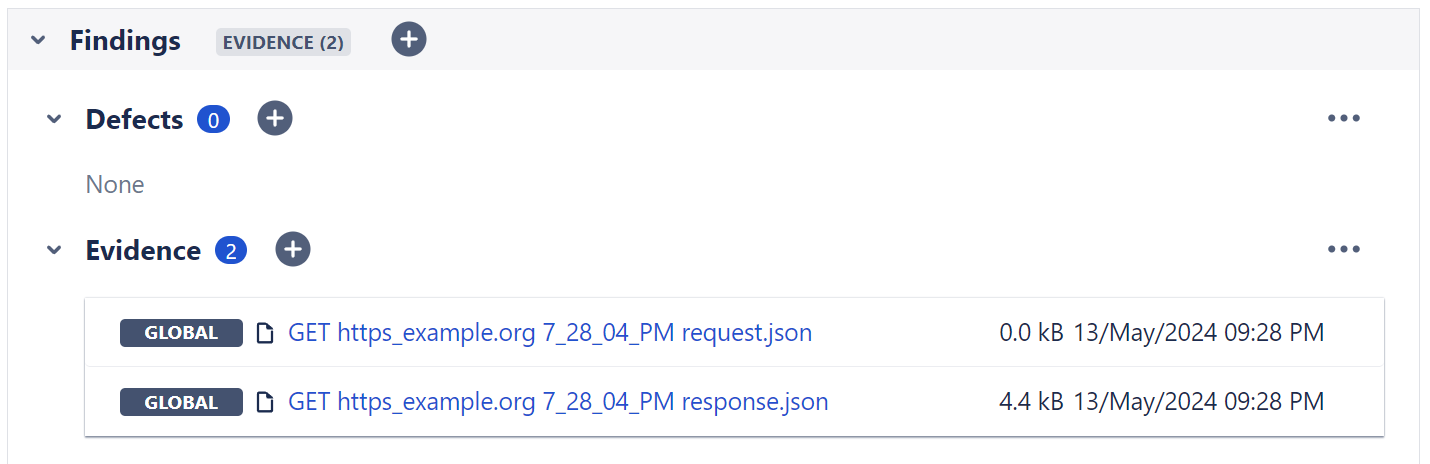
The plugin is able to record web requests executed by cy.request which can then be added as execution evidence to the test execution issue during the results upload.
note
The plugin will only upload requests and responses as JSON evidence for tests that are associated with existing test issues.
Setup
To upload requests to Xray, you need to overwrite the existing cy.request() command in your support file:
Example
// commands.js
import { enqueueTask } from "@csvtuda/cypress-xray-plugin/commands/tasks";

Cypress.Commands.overwrite("request", (originalFn, request) => {
  const myFileName = "my-request.json"; // build as desired
  enqueueTask("cypress-xray-plugin:task:evidence:attachment", {
    contentType: "application/json",
    data: Buffer.from(JSON.stringify(request)).toString("base64"),
    filename: myFileName,
  });
  return originalFn(request);
});
To upload responses, simply chain the evidence task from your cy.request() calls:
Example
// my-test.js
import { enqueueTask } from "@csvtuda/cypress-xray-plugin/commands/tasks";

it("CYP-123 my test case", () => {
  cy.request("my-url").then((response) =>
    const myFileName = "my-response.json"; // build as desired
    enqueueTask("cypress-xray-plugin:task:evidence:attachment", {
      contentType: "application/json",
      data: Buffer.from(JSON.stringify(response)).toString("base64"),
      filename: myFileName,
    })
  );
});